
The AI Gold Rush: Own Your Own Personal AI Assistant (and the Gear That Makes It Work)
The AI Gold Rush is real — but it’s not about chasing shiny apps
Every business owner can feel it: AI is everywhere. New tools. New “must-have” subscriptions. New experts telling you you’ll be left behind.
Here’s the truth: the real opportunity isn’t buying another app.
It’s owning your own Personal AI Assistant — set up for your business, your customers, and your daily workflow.
That’s the shift we’re in right now. It’s an AI Gold Rush, and the winners won’t be the people who download the most tools.
The winners will be the people who install a system they control, learn how to use it properly, and then use it every day to win time back.
Less admin. More home time. Get your life back.
What “your own AI Personal Assistant” actually means
Most people think AI is just ChatGPT on a screen.
A real Personal AI Assistant is different:
- It’s configured around your business (your services, your pricing style, your tone, your standards)
- It’s built to handle repeatable admin tasks (quotes, follow-ups, job notes, emails, compliance paperwork)
- It’s designed to work fast — ideally by voice — while you’re moving
- It’s supported with training so you actually use it, not forget it
And one rule stays locked in:
- AI drafts. You approve.
- You run the show. Your AI is only your assistant.
What comes with an installed AI Personal Assistant (not just “access”)
If you’re a business owner, you don’t need another login.
You need a working setup.
A proper install-and-train approach typically includes:
- Installation and configuration (so it’s ready to use, not a blank tool)
- Voice-first workflows (so you can use it on-site, in the ute, between jobs)
- Templates and repeatable systems (quotes, replies, follow-ups, job summaries)
- Training with a facilitator (so you build confidence and speed)
- Ongoing support (so you don’t get stuck when things change)
That last part matters.
Most business owners don’t fail because they’re not smart — they fail because they’re busy.
Support turns “I’ll get to it later” into “I used it today.”
The missing piece: AI is only as useful as the way you can access it
If AI only works when you’re sitting at a desk, it won’t change your life.
The big unlock is hands-free access.
That’s where the “auxiliary armour” comes in — the gear that makes your assistant usable in the real world.
Two pieces worth understanding:
- Apple Beats wireless earbuds (fast, reliable audio + mic)
- Smart glasses (a screen you don’t have to hold)
Used together, they can turn your assistant into something you can use while you’re moving.
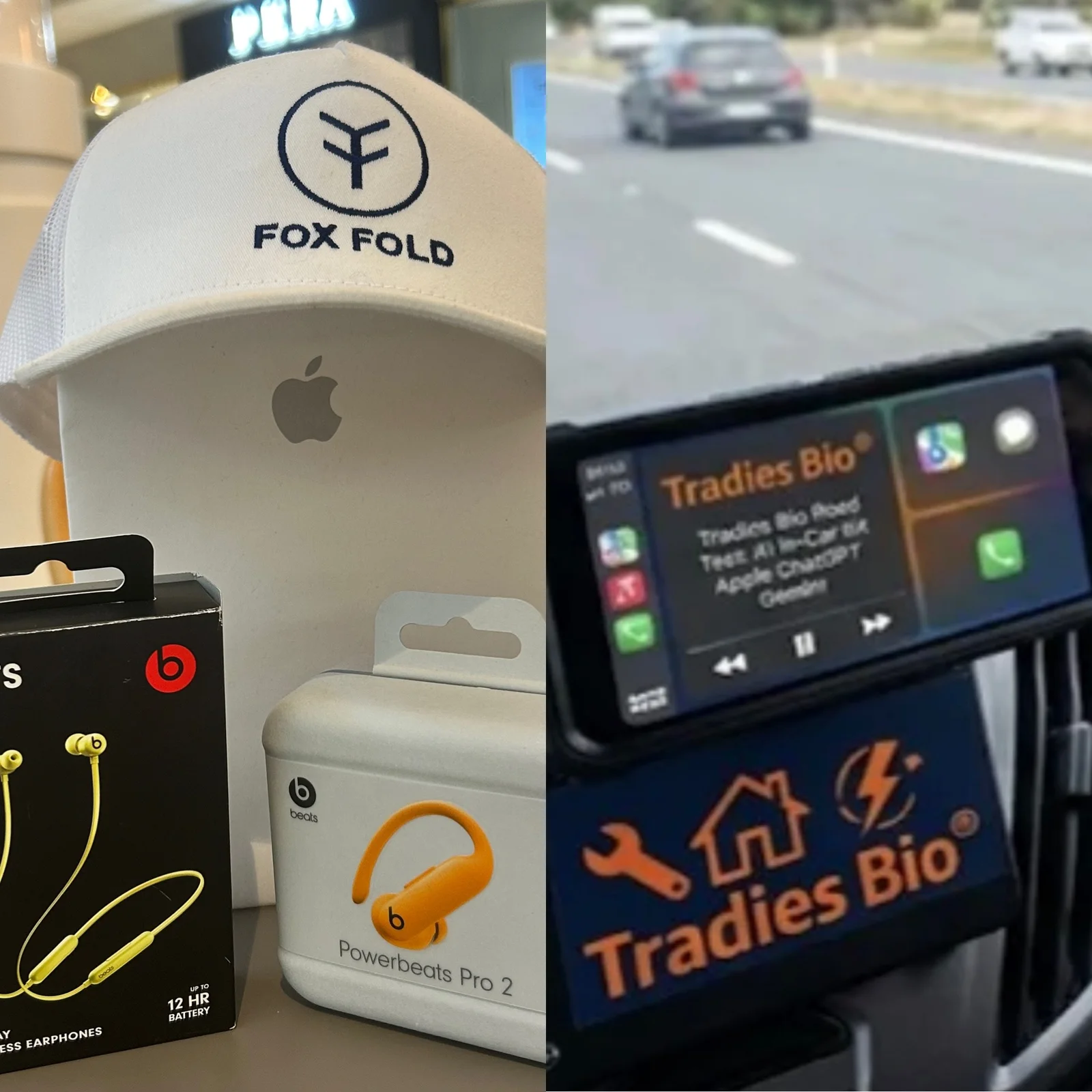
Field-tested pick: Beats Flex (Yuzu Yellow) — the “can’t lose it” earbuds
Let’s be honest: standard earbuds are easy to lose. Drop one in the ute. Drop one on-site. Put one down for a second… and it’s gone.
That’s why we like Beats Flex for real-world business use. They’re wearable — connected by a flexible neckband — so when you pull an earbud out, it stays with you.
These have been tested in the field and they work.
Why Beats Flex makes sense for business owners:
- Hard to lose: neckband design means they stay on you, not on the ground
- Fast voice access: ideal for quick dictation and hands-free calls
- Light and simple: easy to wear all day without thinking about it
Where they shine:
- Dictating a quote outline while you’re walking back to the ute
- Capturing job notes before you forget them
- Calling a supplier without stopping work
- Drafting a customer text by voice (then approving it before sending)
Premium option: Beats Fit Pro (Volt Yellow)
If you want a more “locked in” earbud fit for movement, Beats Fit Pro is the premium option many people prefer. It’s a different style to Flex — more like a traditional earbud — so it’s about comfort and stability rather than the neckband “can’t lose it” advantage.
Either way, the aim is the same: make your AI Personal Assistant usable by voice, on-site, in the ute, between jobs.
USA-first smart glasses: what Tradies Bio® will test (before recommending anything)
Google smart glasses are expected to launch in the USA before they’re available in Australia.
Tradies Bio® plans to visit the USA to be among the first to get hands-on, bring them back for testing, and show real results for Australian business owners.
Important: we won’t hype them. We’ll test them properly and report what works (and what doesn’t) in the field.
Our field test checklist (real-world, not “tech review”)
- Voice loop speed: speak → draft → review → approve
- Mic pickup on-site: wind, traffic, tools, job noise
- Glance-ability: can you read a draft safely without distraction?
- Sun glare: can you see it outdoors?
- Comfort: can you wear them for a full day?
- PPE compatibility: hats, safety glasses, ear protection
- Battery reality: does it last a workday?
Why earbuds + smart glasses together is the real combo
On their own:
- Earbuds help you talk to your assistant
- Glasses help you see what it produced
Together, you get a loop that works in the real world:
- You speak: “Draft a quote for that hot water unit replacement.”
- AI drafts it.
- You glance at the draft.
- You approve or tweak it.
- You send it.
That’s the whole promise:
AI drafts. Tradie approves.
The bigger message: don’t rent AI — own a system
The AI Gold Rush will create two types of business owners:
- People who rent tools and keep starting over
- People who install a system and build momentum
Owning your own Personal AI Assistant means:
- Your workflows get faster over time
- Your templates improve
- Your customer communication tightens up
- Your admin stops stealing your nights
And when the ute gets home and the keys come out — it’s family time.
Next step: get set up properly (and learn it once)
If you’re serious about using AI in your business, don’t start with “Which app should I buy?”
Start with:
- What admin do you hate doing?
- What do you repeat every week?
- What costs you the most time after hours?
Then install an assistant that handles those jobs — with training and support.
Learn more at Tradies Bio®